
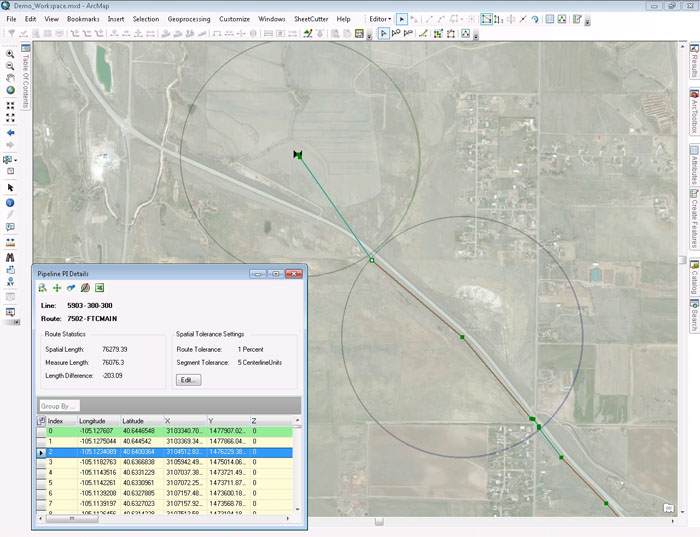
Spatial tolerance is incorporated into the pipeline inflection details to save users time.

Facility Manager is a flexible pipeline data management application for transmission and gathering operators to ensure the integrity of corporate pipeline data. With Facility Manager, spatial data remains in sync with tabular data in the PODS database to improve accuracy. Using a toolbar within Esri ArcMap, users can perform critical centerline maintenance tasks including creating new lines, performing pipe reroutes, linking important documents, and merging pipelines.
Facility Manager is uniquely suited to the needs of its users through two interfaces: geospatial and tabular. The geospatial interface allows users to make changes to their centerline in ArcMap, while the tabular interface allows users to make changes to records in the PODS database.
Facility Manager is highly customizable and allows users to dynamically edit data, apply a variety of tabular and spatial filtering options, and verify and correct staged data. It allows users to make multiple changes instantly via bulk uploading and provides integrated document linking to quickly find important information by event or work order. Users can easily insert station information as well as split linear features and re-station or reverse routes while maintaining spatial location. With both a geospatial and tabular interface in one application, Facility Manager provides a more fluid workflow to improve the efficiency of maintenance tasks.
Spatial tolerance is incorporated into the pipeline inflection details to save users time.
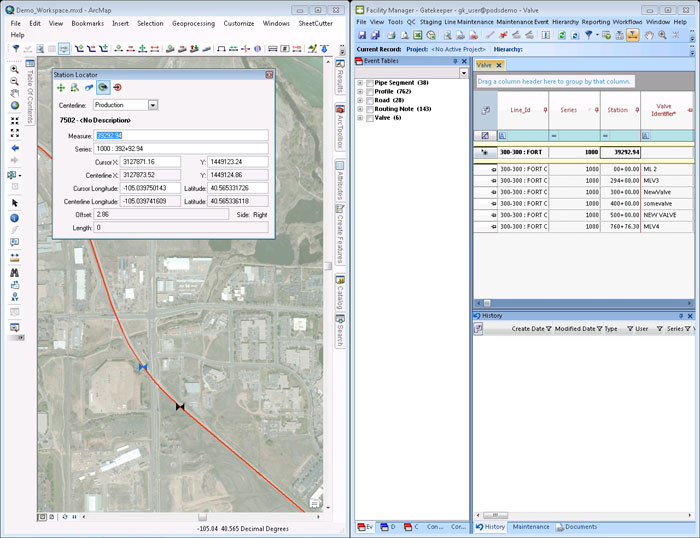
Reassigning station series numbers, inserting begin and end stations, and changing descriptions is simplified.
FACILITY MANAGER is a trademark or registered trademark of New Century Software, Inc. Third party trademarks, trade names, product names and logos may be the trademarks or registered trademarks of their respective owners.